


Spektrum
SKU:SPMWS2000
WS2000 Wireless Simulator USB Dongle (SPMWS2000)
WS2000 Wireless Simulator USB Dongle (SPMWS2000)
常规价格
$79.99 CAD
常规价格
促销价
$79.99 CAD
单价
单价
结账时计算的运费。
无法加载取货服务可用情况


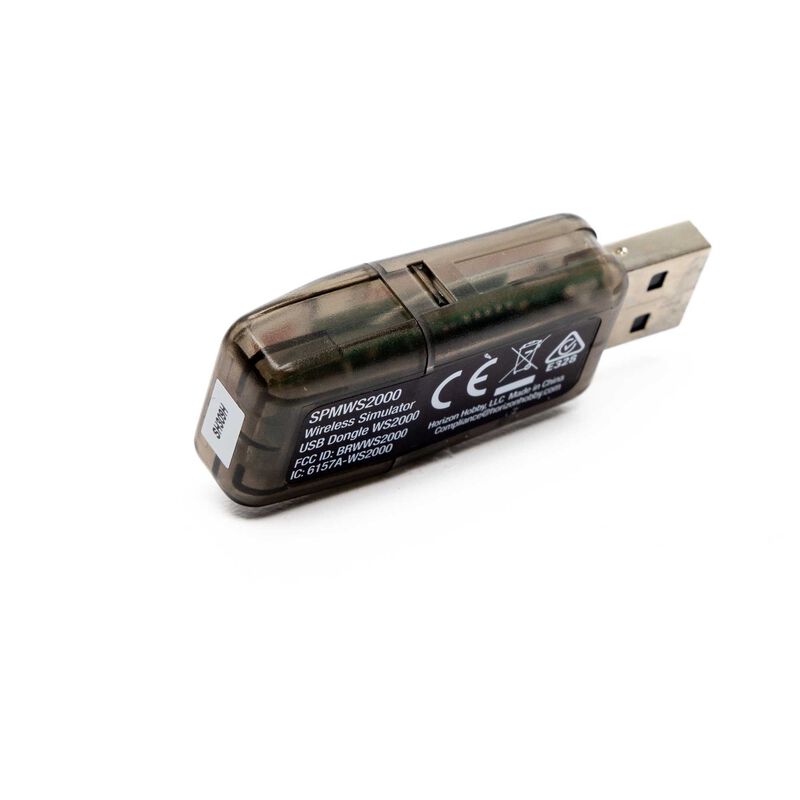
Spektrum WS2000 Wireless Simulator USB Dongle (SPMWS2000)
The Spektrum WS2000 is a compact wireless interface that lets you bind your Spektrum DSMX/DSM2 transmitter to a computer (PC/Mac) or Android device for use with popular RC flight simulators. Just plug it in, bind, and your radio appears as a standard USB game controller—no special drivers or cables required.
Key Features
- Wireless convenience: eliminates trainer/audio cables between radio and PC.
- Plug-and-play: uses generic USB joystick drivers; no extra software needed.
- Wide sim support: compatible with many RC flight simulators and FPV titles.
- Up to 8 channels: suitable for fixed-wing, heli, and multirotor setups.
- Simple binding: built-in bind button; LED indicates status.
- Compact & portable: small, lightweight, and easy to carry.
Specifications
| Transmitter Protocols | Spektrum DSMX / DSM2 |
| Host Compatibility | PC, Mac, Android (USB HID game controller) |
| Channels | Up to 8 |
| Input Voltage | 5 V (USB powered) |
| Dimensions (L × W × H) | Approx. 55.3 × 20.5 × 12.6 mm (2.2" × 0.81" × 0.50") |
| Weight | ≈ 8 g (0.28 oz) |
Need to Complete
- PC, Mac, or Android device with available USB port
- Spektrum DSMX / DSM2 transmitter
- Compatible R/C simulator software
What’s in the Box
- (1) Spektrum WS2000 Wireless Simulator USB Dongle
- (1) Product manual
Installation & Binding
- With the computer/device powered, press and hold the dongle’s bind button and insert it into the USB port. The LED will flash to indicate bind mode.
- Put your Spektrum transmitter into bind mode (follow the radio’s binding procedure).
- When binding completes, the dongle’s LED turns solid.
- Open your simulator’s controls/settings and select the detected USB game controller.
Troubleshooting Tips
- If binding fails, keep at least 1–3 meters between the transmitter and dongle during binding.
- Avoid metal obstructions and USB hubs during initial binding (plug directly into the computer).
- Confirm you’re using the intended model memory on the transmitter.